

There's Got to be a More Seamless Experience, Right?
Do your manual processes sometimes feel like your "duct-taping" your systems together?
For example, maybe you use a booking page in your Google Calendar to schedule interviews. Then you keep an eye on your emails for booked appointments so you can add people to a spreadsheet and start tracking them.
If you're doing this, you might have thought to yourself, "There's got to be an easier way."
Good News!
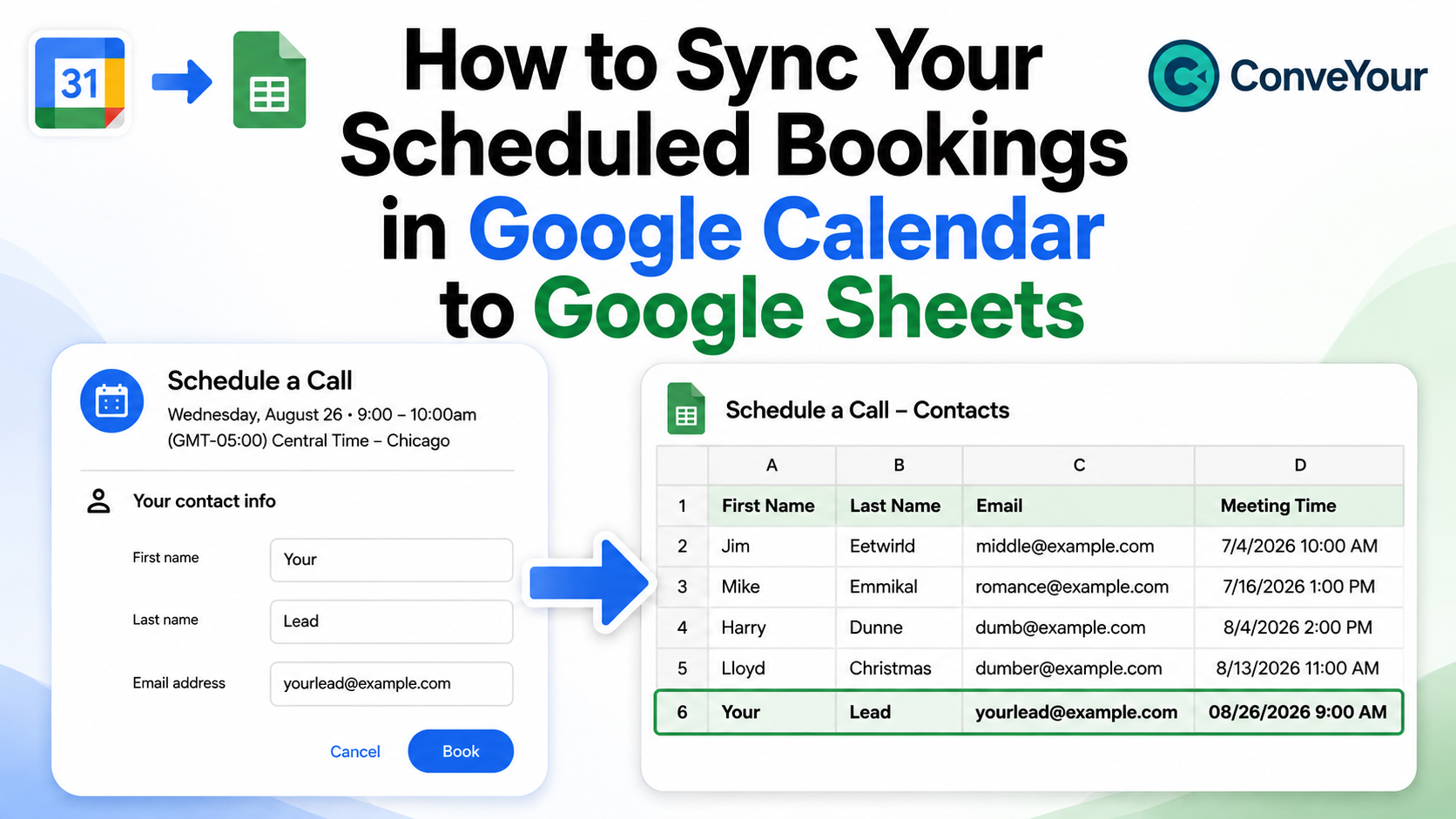
There is an easier way! It's a simple, FREE solution that is literally plug and play. Seriously, we made a walkthrough video and a step-by-step guide that show you how to sync your booking page from your Google Calendar to your Google Sheets.
Once implemented, here's how it works:
People book with you
Their information is immediately added to your Google Sheet
The Outcome
You stop worrying about your inbox and manually adding people to a spreadsheet.
What Else Can You Do?
Once you have the spreadsheet data, you can push this info directly into ConveYour so you can track them further down your funnel.
While you don't have to do this, it might make life easier since you can use ConveYour to automate your follow up. By the way, we'll show you how to sync a Google Sheet to ConveYour in a follow-up post.
For now, we just wanted to give you a free resource...you know, in case you're tired of the duct tape.
Want to Learn More about ConveYour?
Schedule a Demo to See ConveYour in Action!