












Introduction
Anybody who has managed or is managing a sales team knows that keeping reps knowledgeable on sales material is a high priority. However, keeping reps knowledgeable can prove to be a daunting task without the right tools. You want to help your team learn and answer their questions. But, for those wanting to grow their sales business, manually answering repetitive questions from reps and using a disorganized, shared document library isn’t a sustainable model.
Answering rep questions robs you of time during work and after hours. Reps that don’t have easy access to properly catalogued company info won’t be able to retain company facts and, thus, won’t be able to close as many deals. The solution to disorganized company knowledge is a knowledge base.
What is a Knowledge Base?
A knowledge base is a software tool that acts as an accessible, customizable digital library of information.
What to look for in a Knowledge Base:
There are knowledge bases that are tailored to all sorts of companies and needs. Sales businesses needing a knowledge base should look for a knowledge base that is equipped with the following:
AI-Powered Search: Standard text search (or lexical search) tools look for exact text matches in a library of info. If you were to type in the word ‘agreement’ into a lexical search tool, it would return any and all instances of the word ‘agreement’ but nothing beyond that. AI-powered search tools use what’s called semantic search which takes into account the meaning of words typed into a search bar also. Say you were to type in ‘agreement’ into a semantic search tool, it would bring up words like ‘contract’, ‘accept’, and ‘payout’.
AI-powered search tools make full use of semantic search in addition to their own generative abilities to deliver accurate, constructive answers based on gathered information. This is what makes AI search a must for knowledge bases and sales companies needing one. When reps ask the same questions, often in slightly different ways, AI can answer them with ease and clarity, keeping them supported.
Sales businesses looking for a knowledge base should also find an AI-powered search tool that, doesn’t just answer based on documentation, but based on a rep’s file access and skill level.
Dynamic Knowledge Access: Sales teams should also look for knowledge bases that have organization features fitted to their needs. A key feature being document access assignment. Managers obviously wouldn’t want to give access to every single company doc to a freshly hired sales rep. A knowledge base should offer the means to create a well organized document library that reps can access, when authorized, and find the right policies and guides with little effort. Dynamic access refers document access that is flexible and automatic. This is a must for having sales reps grow in knowledge access on an individual basis. Dynamic access is especially important when working with content AI is trained on.
Easy Mobile Access: Reps ask many, often repetitive, questions while in the field. To actually give reps quick access to company information while they’re on-the-go, sales managers need a knowledge base that supports mobile access, either through a native iOS or Android app or a Progressive Web App. Knowledge bases that have a more friendly mobile experience are much more effective for supporting reps compared to ones that are only accessible via a browser, which tend to slow and unreliable.
We have put together a list of the top 10 AI-powered knowledge bases for field sales teams to help you unblock your reps quickly. This list made to help you make an informed decision on which one would be the best fit for you and your business.
ConveYour
 Overview
ConveYour is a knowledge platform that is designed to help you leverage your knowledge and bring it to its fullest potential. ConveYour lets you use your knowledge to recruit, onboard, train, and retain your sales reps with AI-powered knowledge tools that launch you towards your goal of producing and maintaining effective field teams.
Key Features
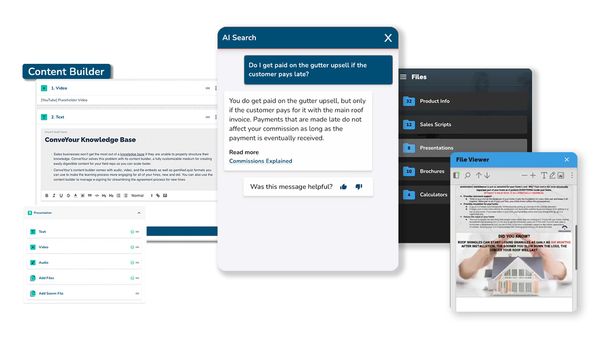
Field AI: ConveYour’s Field AI is designed to unblock your sales teams, cut down on field support costs, and help your reps close more deals. Field AI is a distinct AI tool, one that doesn’t respond to a freshly hired sales rep as it would an experienced salesman. Rather, Field AI answers questions based on documentation as well as a sales rep’s file access, title, experience, and location, giving hyper-personalized responses. Accessible on the go via a web app, Field AI essentially acts as a company expert that is accessible from every sales rep’s pocket, at all times.
Knowledge Base/File Library: ConveYour enables you to store and neatly organize all of your files and grant your reps and technicians access to them when needed and also tailor folder visibility on an individual basis, by role, location, and others. You can drop your PDF's, videos, audio recordings, SOPs, FAQs, and guides right into your ConveYour file library.
Content Builder: Sales businesses won’t get the most out of a knowledge base if they are unable to properly structure their knowledge. ConveYour solves this problem with its content builder, a fully customizable medium for creating easily digestible content for your field reps so you can scale faster. ConveYour’s content builder comes with audio, video, and file embeds as well as gamified quiz formats you can use to make the learning process more engaging for all of your hires, new and old. You can also use the content builder to manage e-signing for streamlining the agreement process for new hires.
Pricing
ConveYour’s knowledge base features are built to support your field teams and are all available in one simple pricing plan. Opting for the annual billing grants you a discount that practically takes two months of payment off the bill.
Field AI: For those wanting a solution to having to manually answer repetitive questions from field reps and techs. The Field AI plan gives you an AI-powered knowledge base & sales enablement tool. The monthly plan costs $247/month for the first 25 users and $4/additional user. The annual plan costs $205/month for the first 25 users and $3.32/additional user. It includes the following features:
Field AI (AI-powered knowledge search)
Knowledge Base / File Library
Branded Mobile Web App
Lesson / Content Builder
Rep & Tech "CRM"
Chat & Email support
Pros
Lessons: ConveYour’s Lessons functionality lets you automate your training for your onboardees and existing hires, allowing you to scale your business and retain your team members. ConveYour’s Lessons are dynamic and can be personalized to certain divisions and people in your company.
Reporting: To view Field AI usage and content engagement, you can use ConveYour’s powerful reporting features. These reports list questions asked by reps and AI responses for your organization as well as information about how each lesson is interacted with, allowing you to make data-driven content updates.
Branded Mobile Web App: For some more personalization, you can customize the appearance of the knowledge portal with company branding, coloring, and layout. This customization can performed on a per-contact basis, simply by adding some custom fields, and entering theme information either for the individual or for a group. This can be useful for a sales team that works under a different division needing a portal that should reflect their branding and for making portals for specific clients.
Cons
Traditional Editor: ConveYour doesn’t have a traditional editor for creating document pages for a company wiki but instead opts for a more dynamic approach with its robust content builder that comes with numerous formatting options and training features.
Best For
AI-Powered Search: ConveYour is best for large field sales and technician teams needing AI-powered tools that all work towards the goals of generating more profit and producing sustainable, knowledgeable field sales reps. Equipped with Field AI, ConveYour gives you the ability to keep your reps supported on the information they have access to.
Dynamic Knowledge Access: ConveYour enables you to store and neatly organize all of your files and grant your reps and technicians access to them dynamically. Using ConveYour’s access control tools, you can tailor a rep’s folder visibility on based on role and the content they have digested.
Easy Mobile Access: ConveYour is a mobile app, but not a traditional native app. It is a Progressive Web App, optimized for mobile use. This means you can add it to your phone’s home screen and access your knowledge on the go.
Not Best For
Traditional Company Wiki Creation: While lacking in document creation tools, ConveYour supports file storage of virtually any type of document file. Thus, ConveYour can turn your wealth of knowledge into something that can be taught rather than remain static.
Notion
 Overview
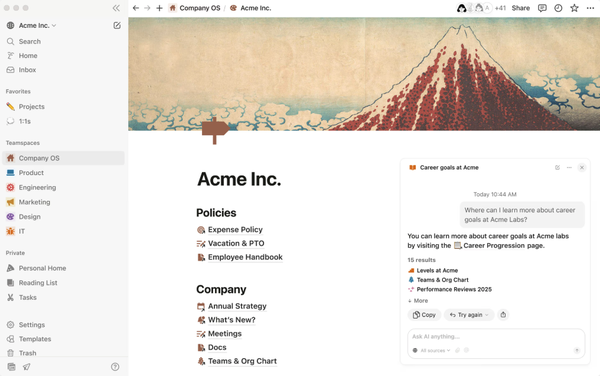
Notion is more than a simple note-taking tool. Notion is a knowledge base tool that makes the company wiki creation process simpler with diverse AI features. The software functions as an all-in-one workspace for organizing company knowledge.
Key Features
Knowledge Base: Notion offers a diverse toolset for enriching wiki docs and managing a knowledge workspace. Content creators can implement toggles, collapsible sections for making docs easier to read, live data charts, code syntax highlighting for many code languages, and image and video embeds. Notion supports collaborative editing with live document updating and document commenting for suggesting edits. Notion comes with built-in page templates for optimizing the formatting process.
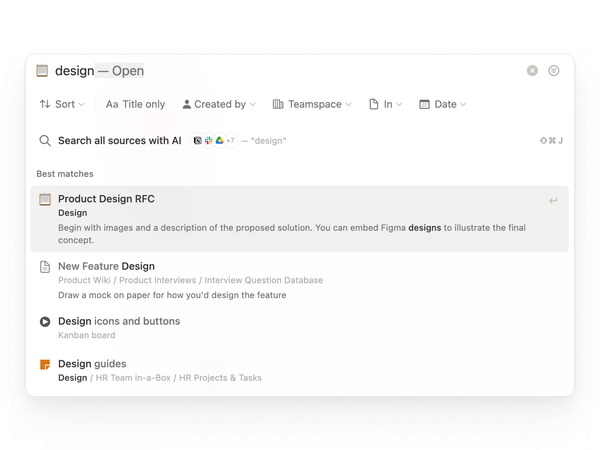
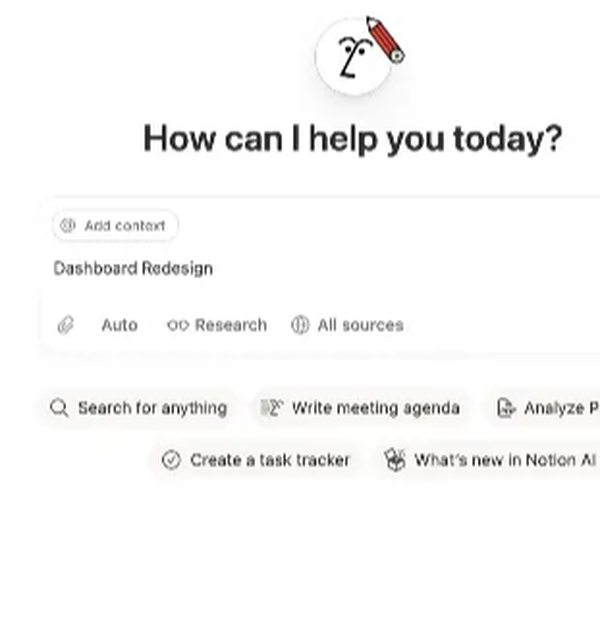
Notion AI: Notion’s AI has a very widespread application, connecting to every aspect of the workspace. Notion AI is capable of summarizing documents and providing explanations for certain items. Document managers can also organize their content and gain access to info from multiple software sources with Notion’s Enterprise Search, an AI-powered search tool that can connect to separate applications.
Pricing
Notion has 4 tiered feature pricing plans for the software depending on the use case.
Free: For those wanting to organize and store information at an individual level. Features include:
Basic forms
Basic sites
7 day page version history
Notion Calendar
Notion Mail (Syncs with Gmail)
Databases including subtasks, dependencies, custom properties and more
Notion AI:
Free Trial AI capabilities like generating docs, or autofilling databases
Plus: $12/user/month when paid monthly and $10/user/month when paid annually. This plan is built for small teams that need a tool to create a collaborative wiki. It includes everything in the Free plan and:
Multiple users
Unlimited collaborative blocks
Unlimited file uploads
Unlimited charts
30 day page version history
Custom forms
Custom sites
Basic integrations (Slack, Gmail, and Google Drive)
Notion AI
Trial of Notion AI
Business: $24/user/month when paid monthly and $20/user/month when paid annually. This plan is targeted towards growing businesses wanting a more cohesive knowledge base for larger teams. It includes all the features in the Plus plan as well as:
SAML SSO
Granular database permissions
Verify any page
90 day page version history
Private teamspaces
Conditional forms logic
Domain verification
Premium integrations (GitHub, Asana, and more)
Notion AI
Agent
Enterprise search
AI meeting notes
Research mode
Enterprise: Pricing is available upon request. This plan is aimed at large organizations needing to operate with scalable knowledge libraries and robust security. It has all the features of the previous plans, plus:
User provisioning (SCIM)
Advanced security & controls
Unlimited page version history
Audit log
Customer success manager
Security & Compliance integrations (DLP, SIEM)
Domain management
Advanced integrations
Pros
Integrations: Notion is able to integrate with many applications and access information from each. Notion’s Enterprise Search feature negates the need to switch between knowledge storage tools to view company info. Users can view content from Slack threads, GitHub bugs, as well others from inside Notion. The integrations include: Slack, Gmail, Google Drive, Google Workspace, OneDrive, Zoom, Microsoft Teams, and numerous others.
Cons
Learning Curve: With abundance of customization, Notion can take a little longer for larger companies to adopt as their central knowledge hub.
Organization: Notion is able to interweave pages and documents and keep everything connected. However, with the many connections, organization can be a little bit more difficult. Notion doesn’t offer as well built automatic content organization, requiring more info maintenance.
Best For
Flexibility: Companies seeking a flexible solution for their knowledge base can get the most out of Notion and its customizable features and layouts, that are also available via templates.
Not Best For
Dynamic Knowledge Access: While Notion’s document templates can be helpful, basic documentation features don’t have the ability to automatically grant access to certain pages based on a team member’s skill level or training progress.
Guru
 Overview
Guru is a knowledge base that focuses on giving its users a software that is linked to all the tools they rely on. Guru connects to all manner of CRMs, chats, and docs to help teams understand their workflows and deliver smarter answers with the help of AI Knowledge agents.
Key Features
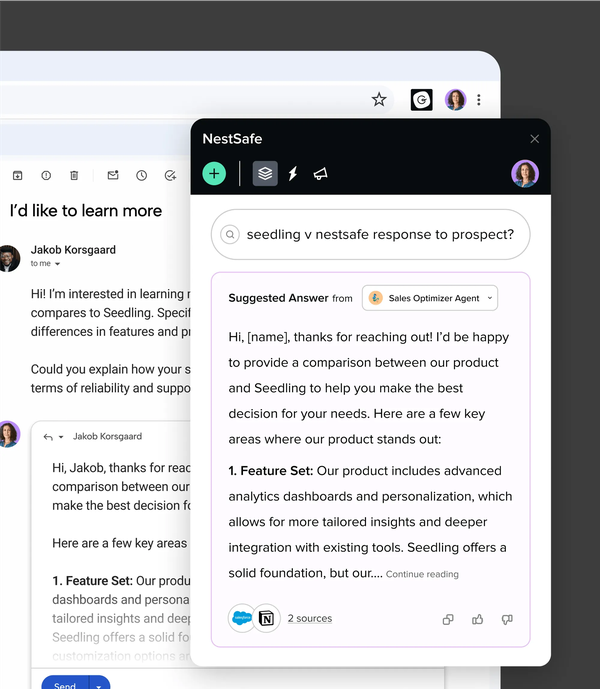
Integrations: Guru is able to directly integrate with numerous software tools ranging from messaging platforms to other data storage tools. Google Chrome, ChatGPT, Slack, Microsoft Teams, Microsoft Edge, Gmail, Google Drive, and Salesforce are among the many in Guru’s roster of software integrations.
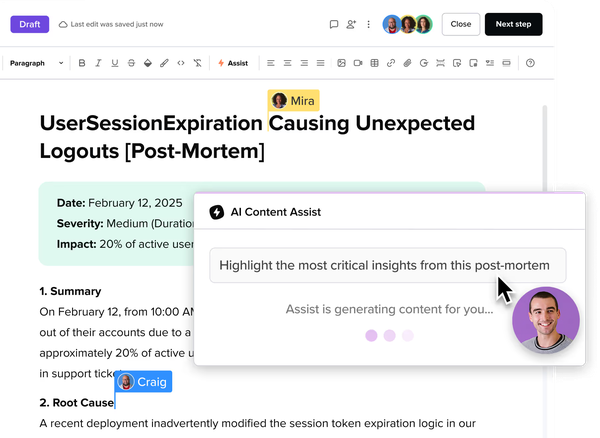
Intranet Home: To view all knowledge sources in one place, Guru users can leverage the Intranet Home page to view custom pages, categorize content by team, topic, or project, with built-in access controls. Managers and team members can make announcements and send updates to the right people.
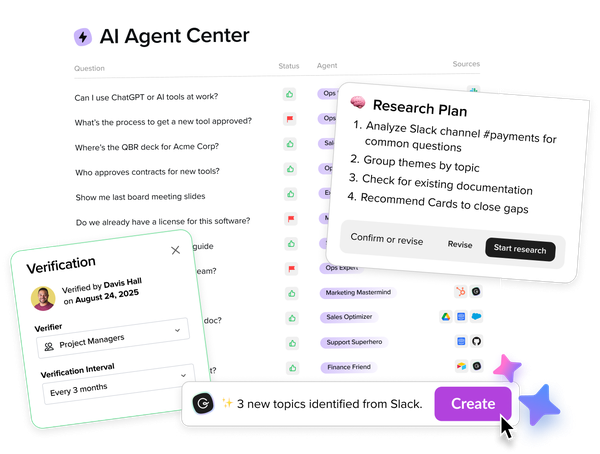
Knowledge Agents: Guru offers AI knowledge agents that can fetch information from all sorts of softwares that companies use and answer based on that material. These agents can be customized with names, what softwares they have access to, where they can accessed from (Slack for example), and prompt settings.
Pricing
Guru offers 2 plans, Self-Serve and Enterprise.
Self-Serve: Costs $25/seat/month when billed annually and $30/seat/month when billed monthly. This plan also requires a minimum monthly payment of the cost of 10 users. AI credits are also included and some usage limits apply. It includes the following features:
Custom AI Knowledge Agents
Fully secure AI Search, Chat, & Research
AI native, verified knowledge base
Customizable intranet
Basic usage monitoring
Enterprise: Pricing for this plan is available on customer request. This plan includes everything in the Self-Serve plan, more flexible AI credit pools and usage limits, and:
Dedicated success manager
SSO and enterprise integrations
SLA guarantees
Advanced governance controls
Custom integrations (either through the API or Zapier)
Pros
Browser Extension: In tangent to the Intranet Home, Guru comes with a browser extension for giving teams instant access to reputable company info without having to navigate between applications. Users can use Guru’s AI search from inside their browser to get quick answers derived from all their knowledge softwares.
Agent Center: If an AI agent isn’t responding in a desired way, Guru users can train their agents to give better answers. Guru’s AI Agent Center lets teams improve AI-generated answers and make updates in real time so that they can get the answers delivered the way they want.
Cons
Integration Set Up: Guru is able to directly connect with many software tools. However, as is true with many software platforms, setting up integrations can take quite a bit of time, users of Guru confirm this.
Search Issues: Users of Guru say that the search tool, while effective, can be bit slow at times, specifically when there is a lot in a data collection to sort through.
Best For
Companies That Rely On Multiple Tools: Companies that rely on the use of many different platforms for messaging and document storage can benefit greatly from Guru’s wide array of integrations and its browser extension that keeps every bit of info in reach.
Not Best For
Easy Mobile Access: Guru isn’t the best for mobile access as it lacks a dedicated mobile app and can only be accessed through a web browser on a mobile browser, which is often much slower than a native or progressive web app.
Bloomfire
 Overview
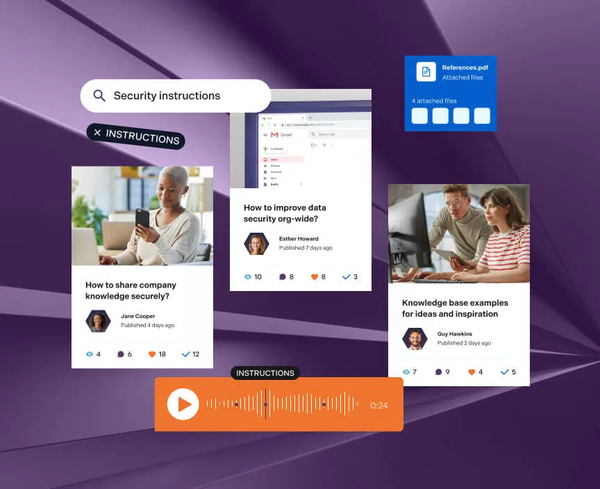
Bloomfire is an AI driven, internal and external knowledge management platform. Bloomfire comes with doc creation and sharing features, AI-powered search, page engagement insights, and robust document organization capabilities.
Key Features
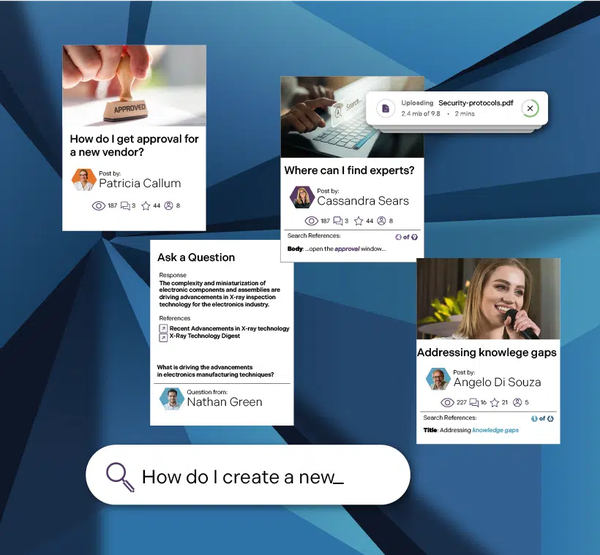
Document Authoring and Management: Users can produce content with Bloomfire’s generative AI tools and prompt it to summarize excerpts, and highlight key takeaways. Content admins can oversee company docs and control who has access to what. Bloomfire’s Access Management feature permits admin users to configure access based on team roles for each user and create groups that have access to their own set of documents.
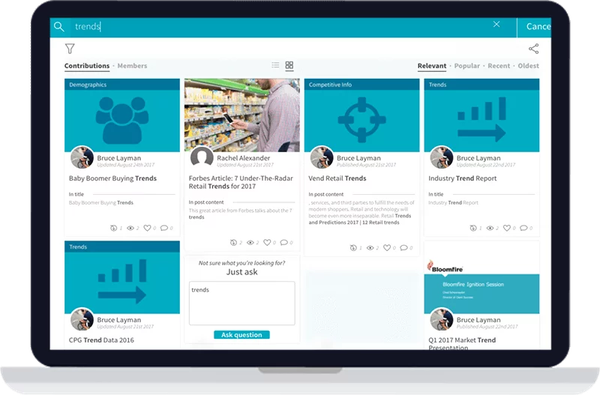
Search Tools: Users of Bloomfire are able to find company answers they need with Bloomfire’s AI-powered unified search solution. Teams can search through the company wiki inside Bloomfire and integrated apps like Google Drive, Microsoft Teams, and Slack.
Pricing
Bloomfire offers 3 plans that each have an annual fixed cost and fees for implementation and have pricing available upon request.
Team: For single teams just starting out with knowledge management. This plan offers users the basic features of Bloomfire such as:
Basic document creation tools
AI-powered search
Knowledge sharing
Department: For companies needing department-wide access to a robust knowledge base. This plan includes everything in the Team plan, plus:
Generative AI for instant answers and enhanced authoring
Content curation and tailoring for specific teams
Knowledge auditing and certification
More robust reporting and analytics
Enterprise: The full Bloomfire package for enterprise clients needing company-wide access for every member. This plan has everything listed with the previous plans, and:
Premium support for enterprise wide deployments
Integrations with other knowledge tools
Configure multiple communities tailored to each department in your organization
Partnership with Bloomfire’s team of knowledge management experts and guides to launch a better program with measurable ROI
Pros
Integrations: Bloomfire integrates with apps like Salesforce, Microsoft Teams, and Slack, allowing users to both embed their content into documents and unify their knowledge from other platforms, making it accessible through Bloomfire and its search tool.
Team Contributions: With the aid of Bloomfire’s analytics tools, users can view content contributions and see how well documentation is performing. Users can use them to target weak areas in their documentation to improve engagement.
Cons
No Listed Pricing: Since Bloomfire does not list its pricing, budget-conscious teams are likely to be disincentivized to choose it as their knowledge base tool.
Implementation Time: On that note, without a set price, users can’t simply sign up to get started and instead have to get set up with the aid of Bloomfire’s team. While set up assistance can be convenient, additional implementation fees do apply.
Mobile App: Bloomfire is not available via a native iOS or Android app nor does it have a progressive web app.
Best For
User View: Bloomfire can work great for the user experience, supporting visuals and personalized dynamic content for team members to view and digest.
Assigning Info: Bloomfire also supports role-based user organization, great for those wanting to configure access controls and an information hierarchy for keeping necessary information available to the right people.
Not Best For
Easy Mobile Access: Bloomfire doesn’t have a dedicated mobile app and instead urges its users to access it via a web browser, which has a tendency to be much slower than a native or progressive web app.
Confluence
 Overview
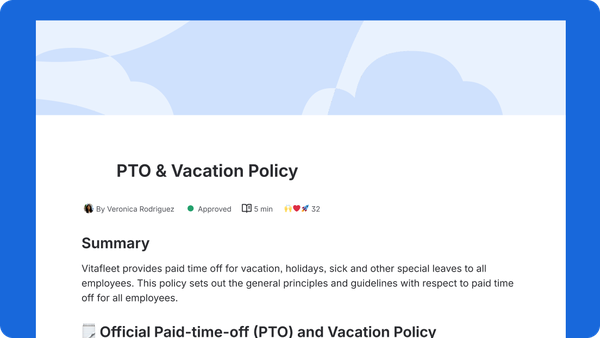
Confluence is an AI-driven knowledge base with workspaces for company ideation, content creation, and documentation. Complete with document templates Confluence is a platform built for storing and managing a company’s knowledge.
Key Features
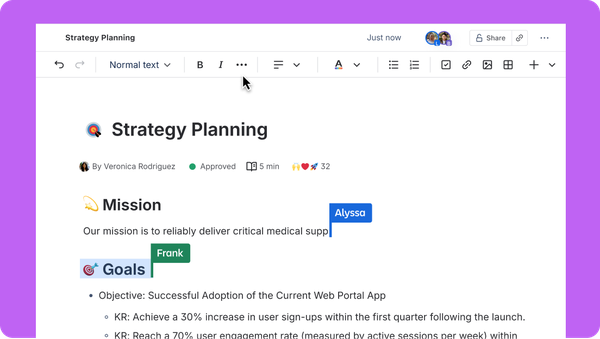
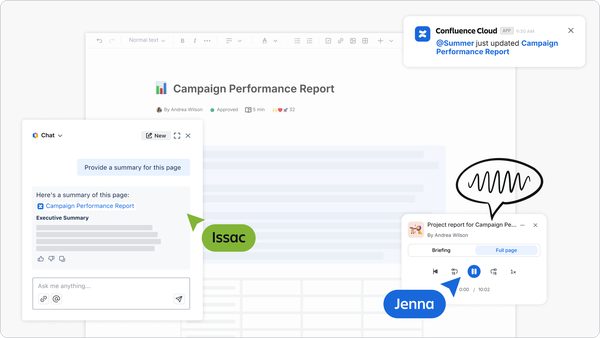
Pages: Pages is Confluence’s documents tool where users can make real time edits. Teams can take notes, plan projects, and refine ideas. Confluence users can keep teams in the loop with in-line page comments and by incorporating visual elements such as images, GIFs, and emojis into their documents.
Databases: Confluence lets its users categorize their pages through, not just folders, but through tables as well. Tables help teams keep up with the most up-to-date information with real-time syncing and automatic updates.
Rovo AI: For reaping information from created documents, Confluence users can use Rovo AI, the knowledge base’s built in AI chatbot and assistant. This AI can assist users by turning notes into neatly arranged document and captivating presentations, and generally improve writing. The AI also comes equipped with search functionality to help teams find the right documents and context.
Pricing
Confluence offers 4 plans with the first being a free plan and the others being paid plans with dynamic pricing based on user count. The plans are as follows:
Free: At no monthly cost, Confluence users can make use of basic features such as:
Pages
Spaces
Organize and connect work with databases
Templates for Marketing, Product, Program Management and more
Up to 3 active whiteboards per user
10 automation rule runs per month
Support for apps and integrations
Support from Atlassian Community
2 GB file storage limit
Standard: $6.70/month for companies with 100 team members or less with pricing discounts for each additional team member. Features include:
Features in Free Plan
Rovo Search, Chat, and Agents, with integrated AI-powered work features
Free guest access
Advanced permissions
100 automation rule runs per month
250 GB of storage
9/5 regional support
Up to 150,000 users per site
Premium: $13.20/month for companies with 100 team members or less with pricing decreases for each additional team member. Features include:
Standard Features
Unlimited pages
Unlimited spaces
Dynamic intranet
10x more automations
Unlimited whiteboards
Admin controls and insights
Unlimited storage
24/7 support for critical issues
99.9% uptime SLA
Enterprise: Pricing is not publicly listed for the Enterprise plan and must be requested by the customer. It includes all the features in the previously mentioned plans, plus:
Cross-product insights with Atlassian Analytics and Data Lake
Advanced admin controls and security
Enterprise-grade identity and access management
Unlimited automations
Multiple sites (up to 150)
24/7 support for all issues
99.95% uptime SLA
Pros
Mobile App: The Confluence mobile app grants users the ability to work together and communicate on the go access to just about everything the knowledge base has to offer.
Page Templates: Confluence’s page templates allows for streamlining of the content generation process by leaving the formatting to Confluence’s diverse template library. Confluence offers templates built for numerous industries, including sales and marketing.
Cons
Analytics Issues: Some users report that the analytics aren’t as effective at providing insight on documents describing them as readable but also less detailed, not providing enough content engagement data.
Standard Search: Users also say that the page search tool has a tendency to be inaccurate and that isn’t always consistent in effectiveness.
Best For
Content Generation: With the help of pre-built content templates, Confluence users can create and add any type of content they would like into their knowledge base.
Data Organization: Confluence takes document categorization a step further with its database tables. With Confluence databases, teams can create a library of information, view and track document statuses as well as links from a customizable view.
Not Best For
Dynamic Knowledge Access: Confluence doesn’t have the ability to automatically grant access to certain pages based on a team member’s skill level or training progress.
Slite
 Overview
Slite is a knowledge software that enables its users to create documentation and draw up their company wiki. Slite helps its users forgo the tedious set up and offers them AI-powered assistance tools that can expedite adoption, simplistic editing features that improve the document creation process, and integrations that tie everything together.
Key Features
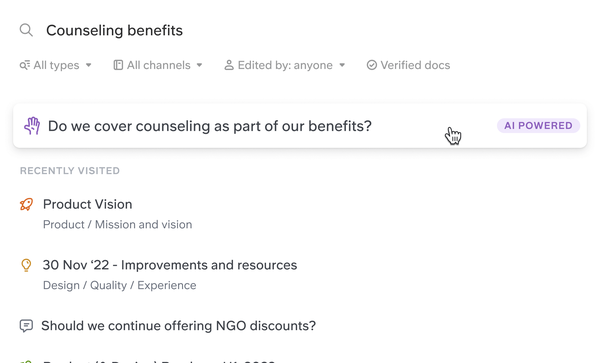
Create: Slite’s AI-powered editor is equipped with numerous formatting options for creating documents with ease. Slite’s AI can make suggestions, correct grammatical errors, put together documents, and answer user questions based on verified company docs. Slite also has a library of templates for document formats.
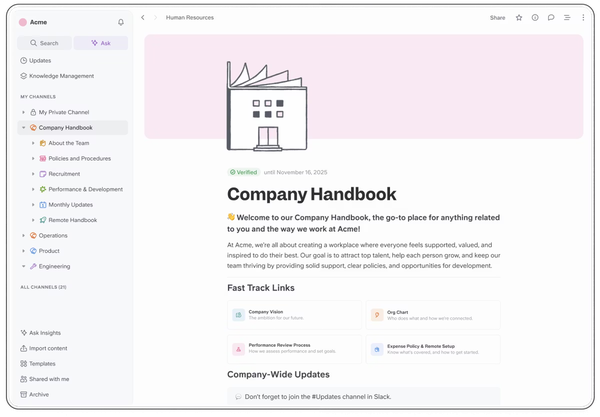
Manage: Content managers using Slite are able to use AI-driven insights from a central panel that show which docs require review and revision. Admins can assign team members to verify docs and certify them as up-to-date so teams don’t have to worry about whether or not what they are reading is accurate. Slite also has ownership assignment capabilities for setting permissions on who has access to certain pages.
Integrations: Slite is able to integrate with many other apps. Users can embed media from apps such as Google Docs, Google Sheets, Mermaid, Grain, Vimeo, and YouTube. Slite is also able to directly integrate with Slack, letting users search through threads and ask Slite’s AI questions from Slack.

Pricing
Slite offers 3 feature plans for companies wanting to build out their wiki that also come with monthly and annual billing options.
Standard: $10/user/month when billed monthly, $8/user/month when billed annually. This plan is Slite’s basic knowledge base solution and comes with the following features:
AI Search and answers (Ask)
Document verification system
Knowledge management panel
Doc & workspace analytics
Integrations & extensions
Knowledge Suite: $25/user/month when billed monthly, $20/user/month when billed annually. This plan includes more knowledge base functionality as well as Enterprise Search. Features include:
Everything in Standard
Custom domain for public docs
User provisioning (Open ID)
Open ID SSO
Enterprise: Pricing is available upon request. This plan is for large enterprises that need the full the Slite package. It includes everything found in the previous plans, plus:
Reader-only users (Admins won’t have to set permissions at the doc level)
Audit logs
Priority support
Dedicated account manager
Service Level Agreement
Pros
Markdown Editor: Slite’s editor is a Markdown based editor, which is a lightweight text markup language that many technical professionals use to create and edit technical documents. This Markdown editor can make the formatting process much faster for content creators with the help of its keyboard shortcuts.
Browser Extension: Slite has a browser extension for keeping content accessible from one place and negating the need to hop between tabs to fetch info.
Cons
Sales Focus: Slite doesn’t put as much of a focus on sales as other knowledge base tools. It does have a catalog of document templates for businesses to use for content creation but lacks sales specific features.
Best For
Document Management: People wanting better document management can get a lot of value out of Slite and its storage management features. Users can check if information is still relevant and see which docs require updates with Slite’s AI driven insights.
Not Best For
Dynamic Knowledge Access: Slite’s features that focus primarily on forming a company wiki rather than access management aren’t the best for sales managers as they might have trouble onboarding new hires without automated methods for broadening a user’s knowledge access, which makes it more difficult to give personalized AI answers to reps.
Axero
 Overview
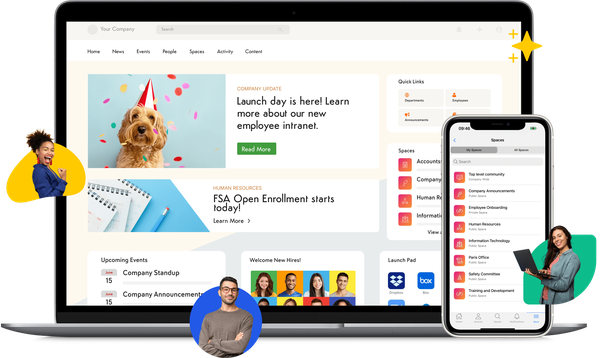
Axero is an internal knowledge base and digital workplace software for centralizing all company related data. Using its document management systems, Axero can help a company’s team find answers faster and collaborate more effectively.
Key Features
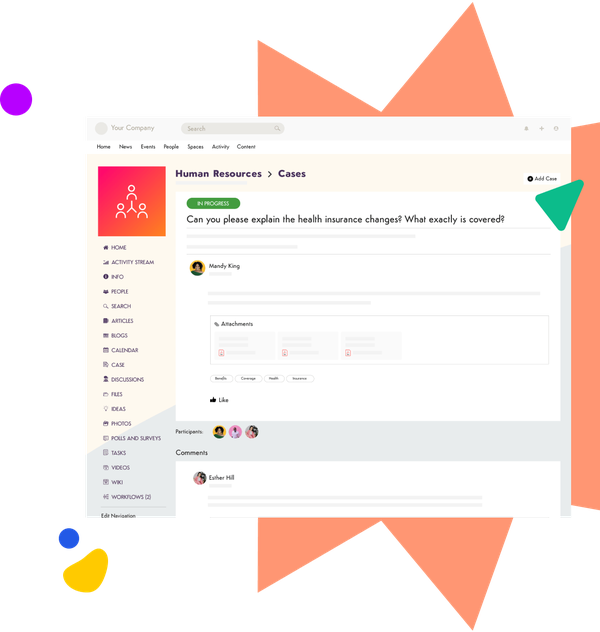
Content Management: Axero’s documentation creation and organization allows for team collaboration and simplified creation. Axero provides users with analytics tools for tracking content statistics. These analytics list metrics like who has read certain documentation and who produced content. Speaking of reading, managers can also set certain docs as required reading for team members.
Workspaces and Groups: Spaces are virtual work places that can be made for all facets and departments of business. By creating spaces, companies can improve organization and draw finer lines between departments. A space can be made for a company’s sales team, where managers can upload sales documents for reps to access anytime.
Pricing
Axero offers 3 plans as well as a few add-ons. The pricing for each of these plans is not listed and must be requested by the customer.
Standard: Includes the basic features of Axero, serving up a reliable hub to keep everyone in the loop. It includes the following:
Workspaces and groups
Communication tools
Content management
Notifications
Task management
Gamification
Recognition and badges
Premium: Comes with more advanced customization and integration features. It includes the following:
Standard Features
Customize the domain name
REST API Access
Single sign on (SSO)
Integration with Third Party Software Tools (Outlook and Google Calendar, Zoom, Slack, etc.)
Enterprise: For those wanting to maximize their productivity and team engagement. It includes all the features in the Premium plan, plus:
Premium Features
Mobile app
AI for Content Editors
Developer sandbox
Multiple language versions of content
Add-ons: Axero also comes with a few add-ons. Some come with the Enterprise plan but can also be purchased individually for a requested price.
Developer Sandbox (Included in the Enterprise Plan)
Mobile App (Included in the Enterprise Plan)
Axero Copilot AI
Enhanced Support
Design Packages
Pros
Company Workplace: Axero puts a lot of focus on company organization and ensures that each team member knows their role and purpose.
Flexibility and Customization: Users can make document templates to be used in the rich text editor. This can save managers and content creators loads of time creating pages by giving them the ability to choose an HTML layout.
Cons
Manual Assignment/Invitation: Axero doesn’t support a way for team members to move up the ranks and be granted access to more content as they grow in skill. Instead, managers have to manually assign contacts to certain spaces that have role necessary knowledge.
No Listed Pricing: Axero doesn’t publicly list its pricing which can make planning difficult and discourage small or budget-conscious teams from choosing the software.
Best For
Larger Companies: Businesses that have a much wider reach can get the most out of Axero’s team management features. Companies that have many divisions can get a lot out of its workspaces feature.
Not Best For
AI-Powered Search: Axero has a very wide application and dabbles in numerous industries like banking, real estate and construction, insurance companies, and many others. However, this means that the Axero’s AI doesn’t answer the way sales managers would because it isn’t specifically tailored to sales teams.
Tettra
 Overview
Tettra is a company knowledge curation and internal Q&A platform that is equipped with many features a team would need to create and store their information effectively. Tettra simplifies knowledge categorization and streamlines the means of accessing said information for answering questions.
Key Features
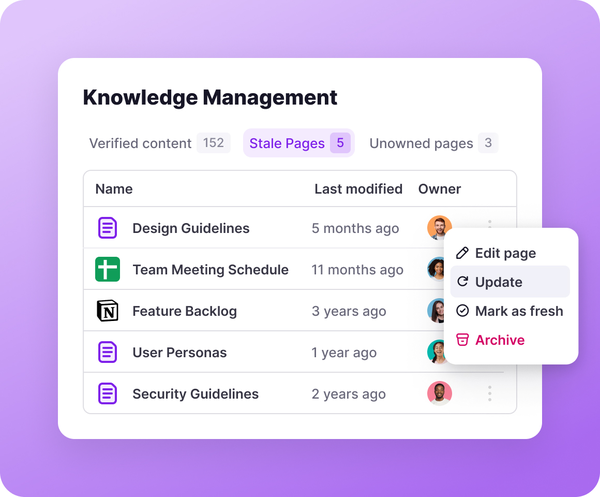
Documentation: Tettra customers can use its basic editor, existing Google Docs, and markdown files to assemble their knowledge base. With its content verification tools, content managers can keep the information in Tettra up-to-date. To help fill in the gaps of missing content, teammates can make requests and suggestions for new pages and page updates.
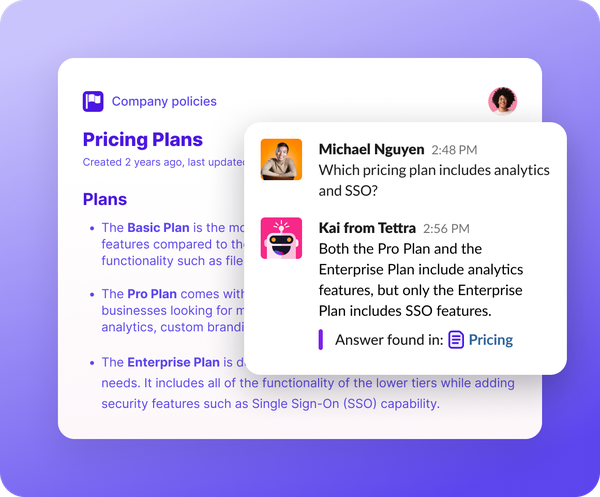
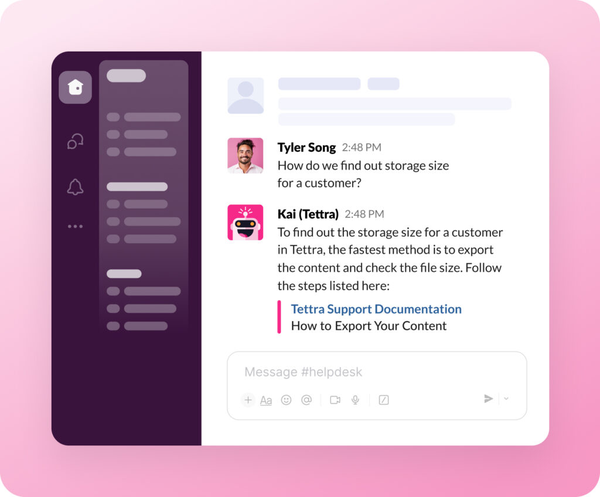
KAI: Tettra comes with its own AI search tool (called KAI) that can answer team questions when asked through the messaging platform known as Slack or through Tettra directly. KAI will search through provided content and give the proper answer. If a certain question hasn't been answered yet, KAI can assign a company expert to answer and add that quick answer to the Q&A roster.
Slack Integration: Tettra puts a lot of emphasis on its connection with Slack, a team messaging platform. Tettra’s AI-powered knowledge agent can answer questions asked in Slack through a Slack channel. Teammates can also @mention KAI with a question in any Slack channel, streamlining Q&A. It can even prompt users to ask it to make to documents based on new information in a Slack channel.
Pricing
Tettra offers 3 plans with options to pay monthly or annually. Tettra also offers discounted per-user rates to Professional customers when the user count exceeds 250. The plans are as follows:
Basic: $5/user/month when billed monthly and $4/user/month when billed annually (minimum of 10 users and maximum of 100). This plan is built for small teams just getting started with knowledge sharing. It comes with the following:
Slack notifications
Questions & answers
Google Workspace integration
Web publishing
Scaling: $10/user/month when billed monthly and $8/user/month when billed annually (minimum of 10 users and maximum of 250), For growing organizations looking to scale team knowledge with AI. It comes with everything in the Basic plan, plus:
AI features
AI bot in Slack
Advanced permissions
Usage Analytics
API access
Professional: $7,200/year (includes first 50 users with a 50 user minimum) with the cost for each additional user available on request. This plan is for companies who want hands-on onboarding and responsive customer support. It comes with everything in the Scaling plan, and:
Dedicated CSM
SSO & SCIM
Hands-on training
Custom import and onboarding
Custom reporting
Pros
Internal Q&A Software: Tettra’s feature set lets users boost their internal Q&A performance with AI assistance and team document creation, whether through Tettra or a Slack channel.
Cons
Knowledge Progression: Tettra doesn’t allow for new or existing hires to progress in their knowledge access automatically. Instead, managers have to manually assign documents to certain members when needed.
Best For
Slack Users: Tettra advertises its connection with Slack, a team messaging platform, as being one of its main selling points. When team members ask the same, repetitive questions, managers can connect Tettra’s AI to any Slack channel they want to answer those questions and create new pages based on new questions.
Internal Q&A: Tettra excels at granting its users in a managerial position to more easily answer questions from team members and creating documentation based on those questions. Tettra’s AI can both answer a team member’s question and refer them to a knowledgable company expert.
Not Best For
Those That Don’t Use Slack: The Slack integration is one of Tettra’s main features. As a result, those who don’t use it likely wouldn’t get as much value out of the software.
Dynamic Knowledge Access: Content admins can set content roles to team members in Tettra such as editors, contributors, and read-only. While useful for managing who has access to certain items, Tettra’s content access features aren’t dynamic and don’t promote knowledge progression.
Nuclino
 Overview
Nuclino is a software that is designed to be a collective brain, of sorts, for a whole company. Nuclino comes with a straightforward editor and list of templates and collaborative tools for document and page creation.
Key Features
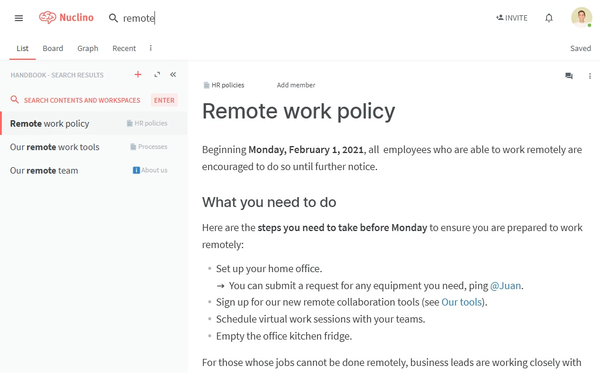
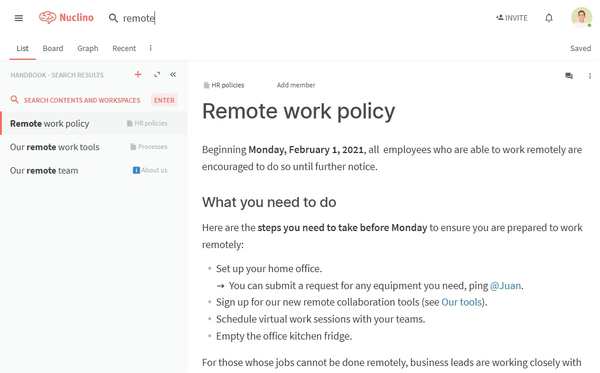
Document Creation and Management: Nuclino offers its users the ability to embed content from many of their software tools, adding interactive diagrams and elements to their documents to give them more flare and clarity. Nuclino comes with templates for content inspiration and reducing the need to ponder on a document format.
Sidekick AI: Nuclino’s Sidekick AI acts as a copilot to the user for every facet in Nuclino. Content contributors can draft up documents with the help of Sidekick AI, which can make suggestions, summarize text excerpts, fix grammatical errors, and generate ideas on related topics. Nuclino’s AI can also generate AI images to complement info pages.
Integrations: Users of Nuclino are able to connect to their existing tools with the many integrations that Nuclino has to offer. Among these are Slack, Microsoft Teams, YouTube, Google Calendar, Google Maps, Google Docs, Microsoft Word, Canva, and many others.

Pricing
Nuclino offers 3 plans to choose from with the option to pay either monthly or annually.
Free: The basic version of Nuclino that is equipped with the foundational features of the software and allows for:
Up to 50 items (Items are documents that can be edited by teams in real time.)
Up to 3 canvases
2GB total storage
Starter: $8/user/month when billed monthly and $6/user/month when billed annually. This plan comes with everything a Nuclino user would need to get started with the software. It includes the following features:
Unlimited items
Unlimited canvases
Admin tools (Contact Document Permissions, Groups, etc.)
Publishing
30-day version history
10GB storage per user
Business: $12/user/month when billed monthly and $10/user/month when billed annually. As the full Nuclino package, this plan equips businesses with its advanced capabilities and AI tools.
Sidekick (AI)
Audit log
Team insights
Advanced security controls
SAML single sign-on (SSO)
Custom publishing domain
Unlimited version history
20GB storage per user
Pros
Integrations: Nuclino works very well as a connective knowledge software, being able to link to numerous software tools like Slack and Google Docs.
Cons
Personalized AI answers: Admin Nuclino users are able to control who can read and edit certain documentation. However, these actions have to be made manually by managers and this can’t be done automatically as a new person is onboarded or grows in skill level, making it harder for Nuclino’s AI to give personalized answers.
Lack of Retaining Features: Nuclino does support document storage and promotes project management but it lacks certain features for retaining field reps like regimented training.
Best For
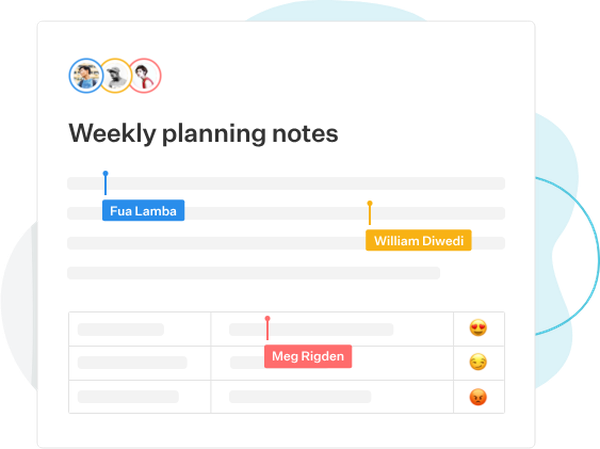
Collaboration: For those wanting to promote teamwork, Nuclino has built-in collaborative tools ranging from creating documents with real time edits to whiteboards and diagrams for brainstorming.
Not Best For
AI-Powered Search: Since content access has to be managed manually, users won’t be able to get Nuclino’s AI to give personalized answers.
Slab
 Overview
Slab is a knowledge base software that lets its users cultivate and store their business documents, from technical pages to onboarding manuals. Built for simplicity, Slab offers modern editing features and a streamlined interface for creating documentation and connecting to existing software tools.
Key Features
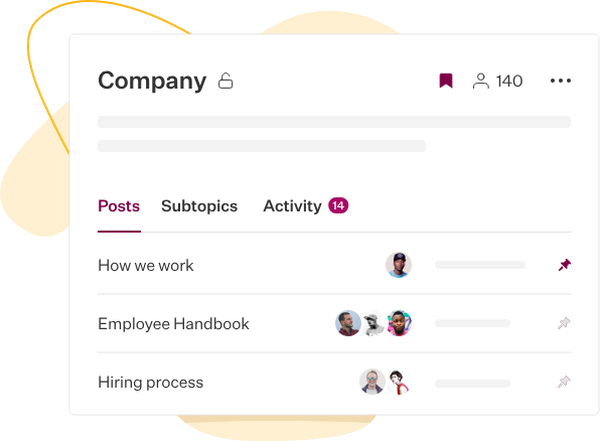
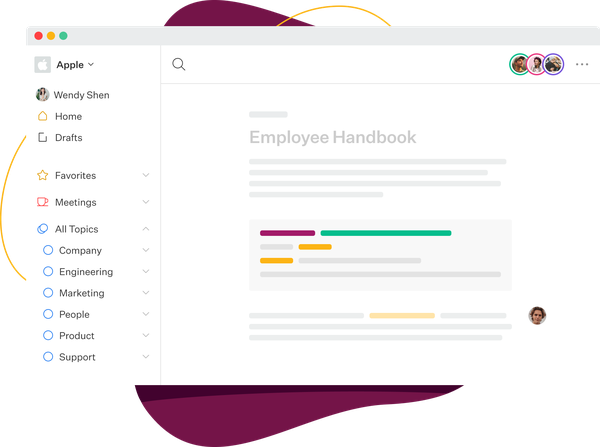
Content Creation and Organization: Slab’s content creation tools allows its users to create a page from scratch, make use of its wide array of templates, or import from existing files. Slab topics let users both categorize their documents and their own custom templates. Team members can use topics to sort company workflows, updates, and ideas and use its built-in analytics feature to view changes made to documents in a topic.
Unified Search: Slab provides a search tool that sources, not just documents made in Slab, but documents from other softwares also. Slab’s Unified Search, can fetch answers from content inside many integrated knowledge tools.
Integrations: Slab integrates with most everything, including spreadsheets, slide decks, flowcharts, and task managers. These integrations include Slack, Google Workspace, GitHub, Airtable, Canva, Figma, ClickUp, Jotform, Slideshare, Otter.ai, Vimeo, and a great many more.
Pricing
Slab offers 4 plans that each have the option to pay monthly or annually. Slab also advertises a Money Back Guarantee if a customer is not satisfied with the product within the first 30 days. The pricing plans are as follows:
Free: For those looking to give Slab a spin. Includes the listed features:
Up to 10 users
Attachment upload limit of 10MB
Version History up to 90 days
Unlimited Posts and Topics
Realtime Document Collaboration
Templates
Verification (Certifications for making sure that content is up-to-date)
Unified Search
30 day Usage Analytics
Up to 10 Integrations
Basic Customer Support
Startup: $8/user/month when billed monthly and $6.67/user/month when billed annually. This plan comes with all Free plan features, and:
Unlimited Users
3 guests per user
25MB Attachment Upload limit
365 day page version history
90 day usage analytics
AI autofix
Unlimited Integrations
More customer support access
Business: $15/user/month when billed monthly and $12.50/user/month when billed annually. Business has all Startup features, as well as:
5 guests per user
100MB Attachment Upload Limit
Unlimited Page Version History
365 day usage analytics
AI Predict
AI Ask
More advanced integrations and API access
Priority Customer Support
Enterprise: Requested Pricing. This plan is aimed at large companies that need 100 users or more. It includes everything in the other plans, plus:
Custom Attachment Upload Limit
Unlimited Usage Analytics
Advanced AI Ask
Dedicated Support
Pros
Templates: Slab offers a vast library of document templates for making informative documents on how to perform a job, onboarding steps, marketing items, the works.
Chrome Extension: Slab also offers a Google Chrome extension sidebar for giving managers access to their knowledge without having to switch to Slab directly to get a unified connections to their docs.
Cons
Mobile App: Slab lacks a mobile app and user reviews indicate that using Slab inside a mobile browser can be difficult to use and less effective than using it on a desktop, saying that there are issues with loading necessary data quickly.
Best For
Build a Sales Playbook: Slab’s templates can provide users with the tools to create detailed instructions for what to look for when canvassing for leads and how to close more deals. Sales teams can create custom templates depending on their use case, creating playbooks, sales reports, customer reviews, etc.
Not Best For
Easy Mobile Access: Slab also doesn’t have a dedicated mobile app for accessing knowledge and is only useable through a browser, which is often much slower than a dedicated app.
Who Are We Again?
ConveYour is a leading software platform designed to help you recruit, onboard, train, and retain more sales reps with less manual work so you can grow faster and dominate in your industry. If you’re interested in a knowledge base software that is armed with tools that automate your training and field support, ConveYour is the software for you.
If you are interested in looking at these knowledge bases in more detail, here are links to all their respective websites:
ConveYour: https://conveyour.com/
Notion: https://www.notion.com/
Guru: https://www.getguru.com/?r=0
Bloomfire: https://bloomfire.com/
Confluence: https://www.atlassian.com/software/confluence
Slite: https://slite.com/
Axero: https://axerosolutions.com/
Tettra: https://tettra.com/
Nuclino: https://www.nuclino.com/
Slab: https://slab.com/
We also put out a video overview of these Knowledge Bases on our Youtube Channel.
Link to Youtube Video:
https://www.youtube.com/watch?v=9K7qWrMLpgg